Both editions are coming soon: SuperNova for Business and SuperNova Influencer Edition.
SuperNova for Business / Features / Fill from website

Type your website. SuperNova fills in the rest.

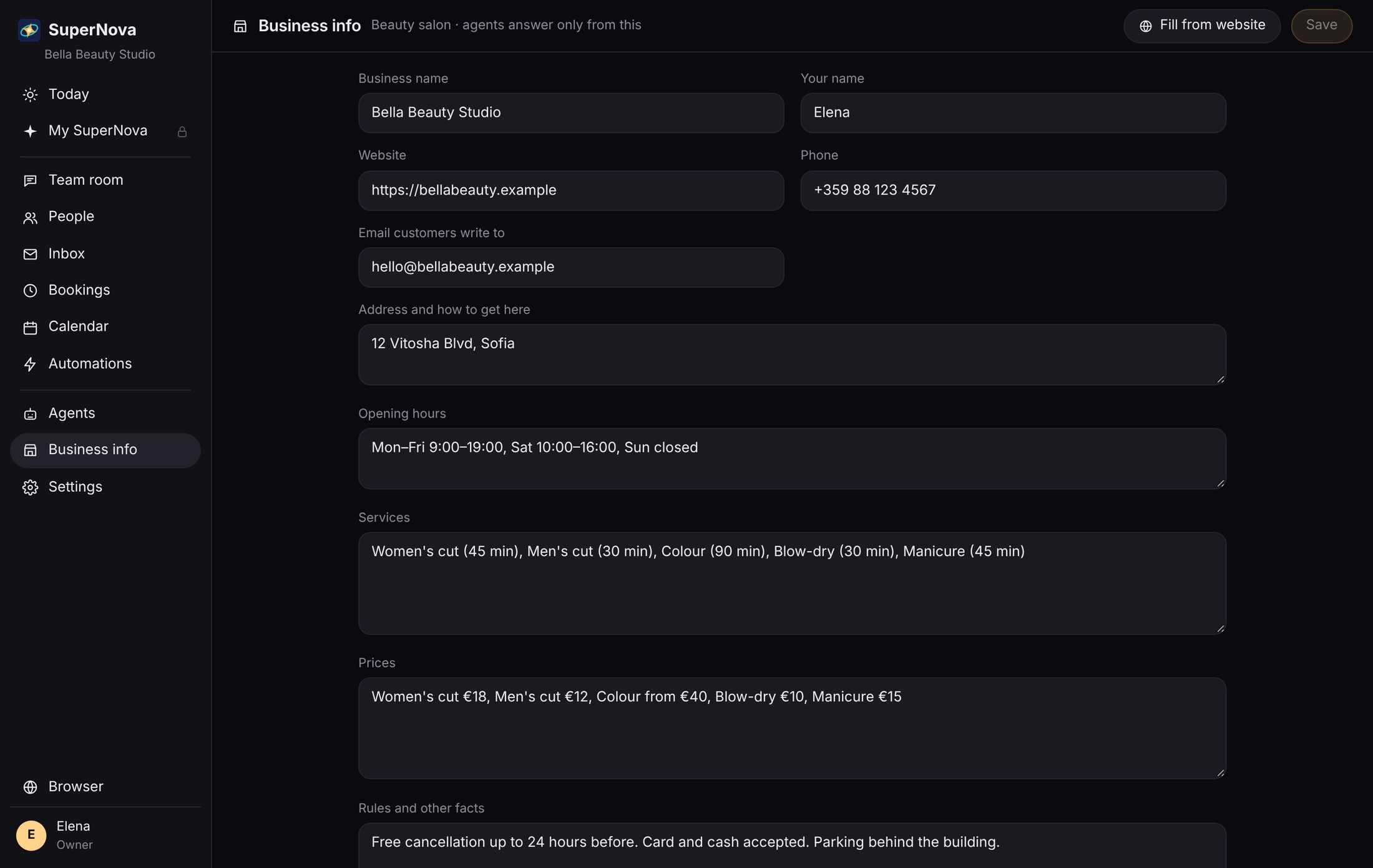
Type your website in setup or on Business info and press Fill from website. SuperNova reads the home, contact, services and price pages once and fills in phone, email, address, opening hours, services, prices and rules.

SuperNova for Business
What it does
  • Filled fields are marked “from website · check”
  • Nothing is saved until you press Save
  • Agents use Business info for every answer
How to use it

Type your website

In setup step 1 or on Business info.

Press Fill from website

It takes a few seconds.

Check and save

Fix anything that's off and press Save.

← PreviousReady agent teamsNext →AI cost and plan limits