What it does
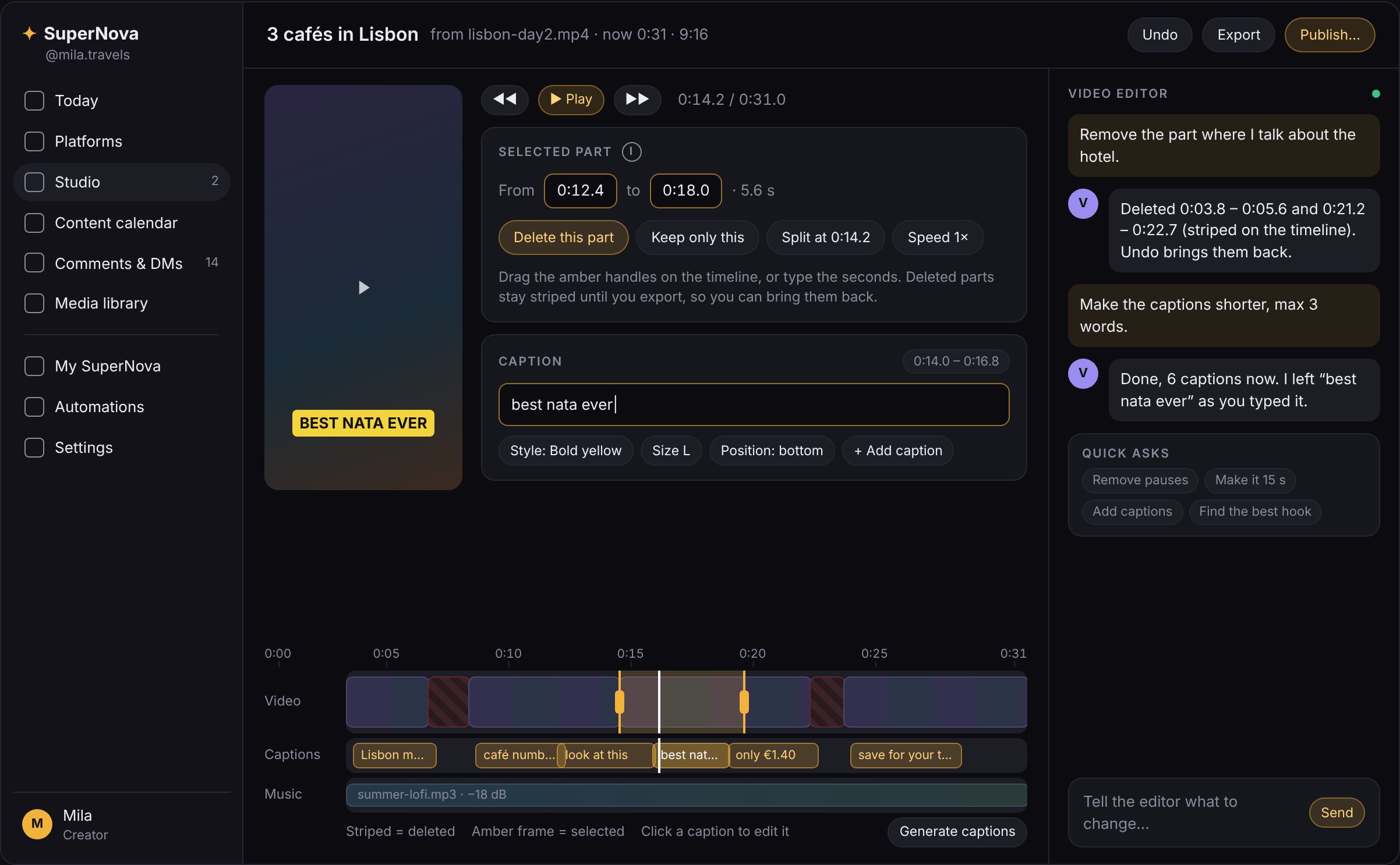
- Select from–to in seconds, then Delete this part, Keep only this or Split
- Deleted parts stay striped until you export, so you can bring them back
- Captions by hand (text, style, size, position) or Generate captions
- Quick asks: Remove pauses, Make it 15 s, Find the best hook
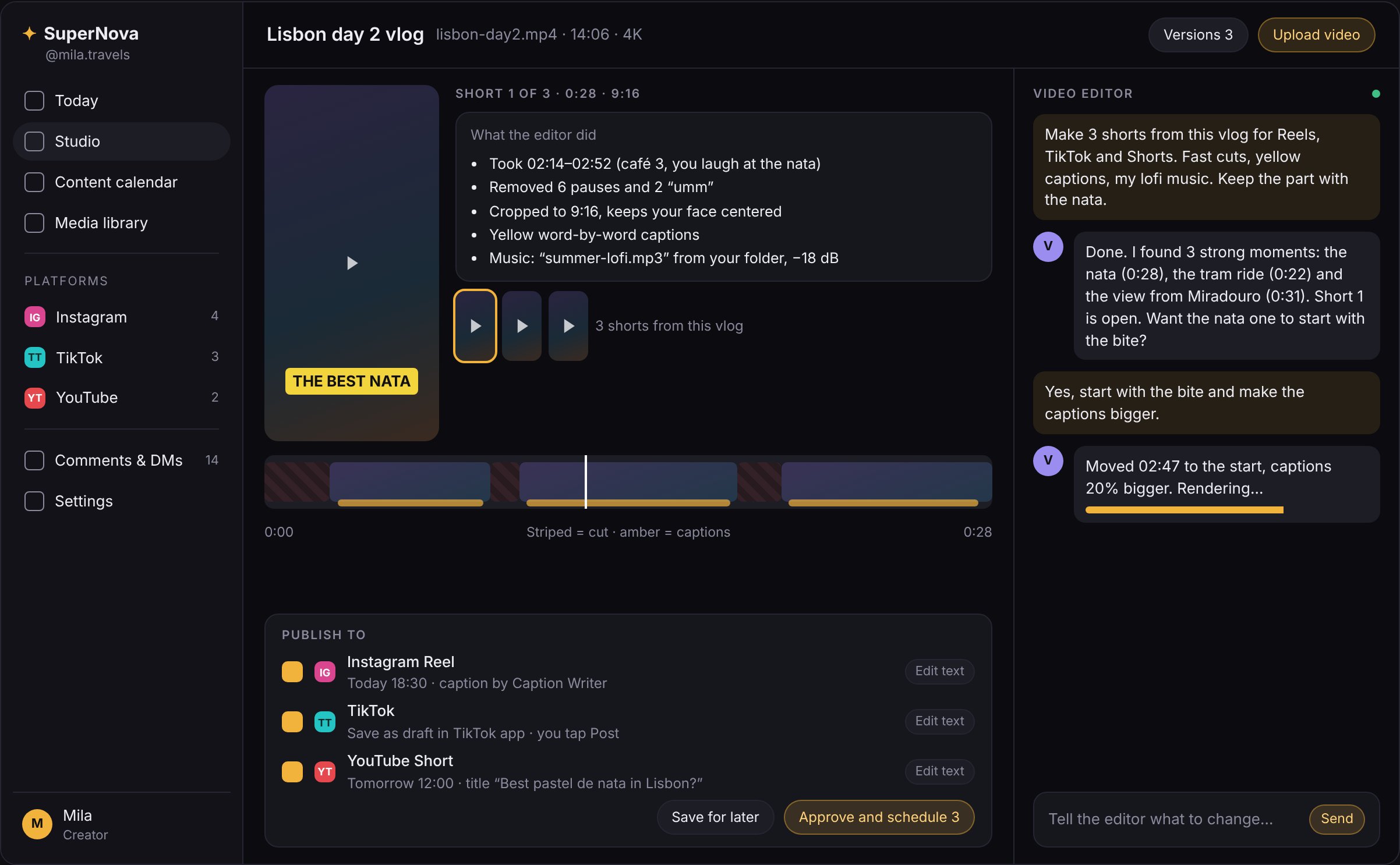
- One video can become a long version and several shorts
- Editing runs on your computer: your raw footage isn't uploaded to an online editor
How to use it
Upload a video
Press Upload video, or drop a file into the Media library.
Edit by hand or by chat
Drag the amber handles or type the seconds. Or write to the Video Editor on the right.
Preview and publish
Export, or press Publish… to send it to the platforms you pick, after your OK.
The Video Editor works on the same timeline
Ask for a 30-second cut with captions; every change shows on the timeline and Undo brings it back.